
Craft Smarter Prompts in Kurator with the WISE Framework
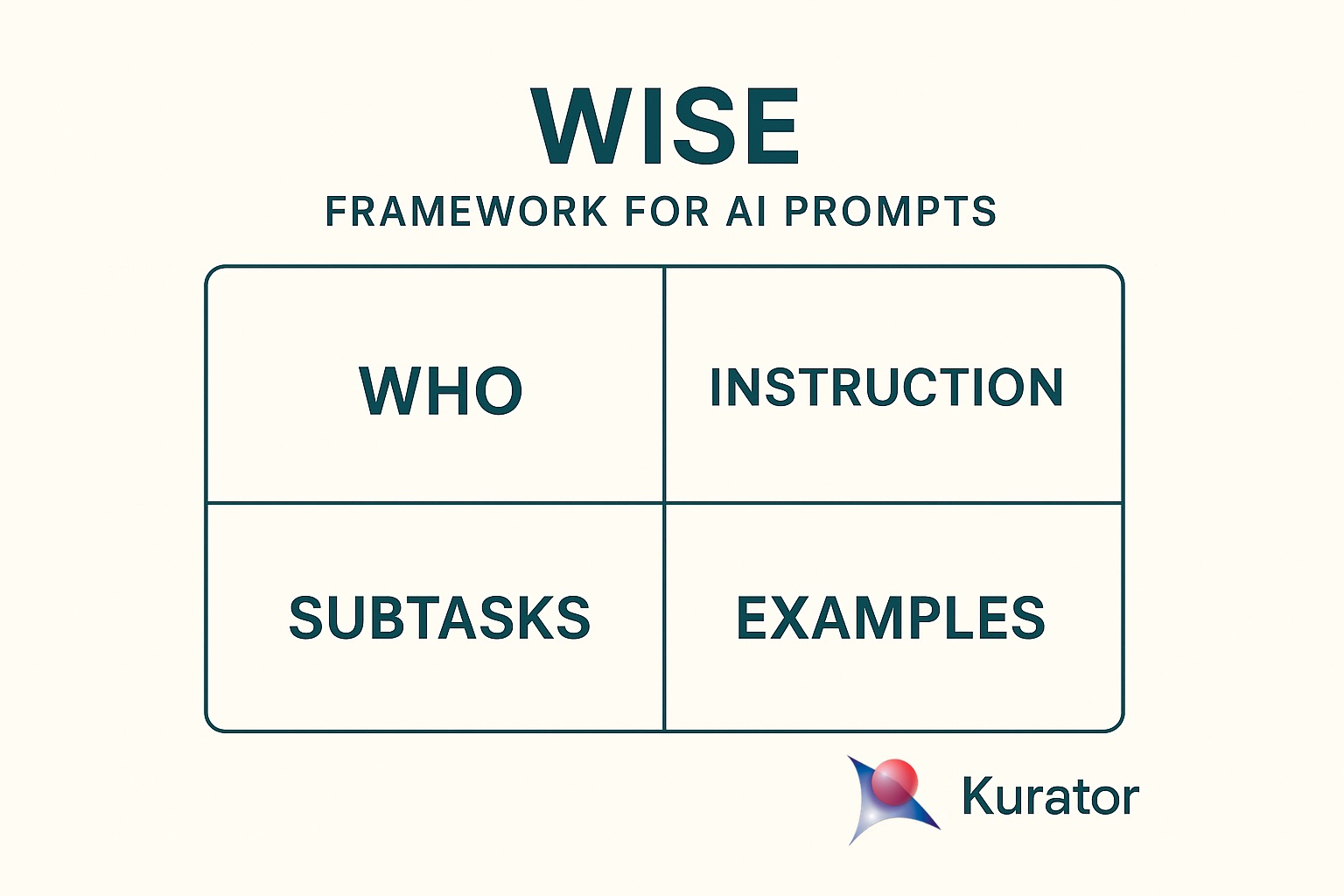
Unlock the full power of Kurator’s AI integration by structuring your prompts with the WISE framework for prompt engineering.
WISE helps you—and the model—stay focused by defining Who, clarifying the Instruction, breaking tasks into Subtasks, giving concrete Examples, to achieve optimal results.
Below, you’ll find three ready-to-use recipes for common workflows: summaries, product analysis, and YouTube transcripts.
But first lets explain the steps in the WISE framework for prompt engineering in more detail
Exploring the WISE Framework
Prompting effectively isn’t just about what you ask—it’s about how you frame it. The WISE framework gives you a clear, four-step blueprint for structuring every AI prompt:
- Who: Define the role or persona you want the model to assume (e.g., “You are a marketing strategist…”).
- Instruction: State exactly what you want it to do (e.g., “Develop a marketing plan for an eco-friendly skincare brand…”).
- Subtasks: Break the task into discrete steps so the model follows a logical flow (e.g., “First outline campaign goals, then suggest the best digital channels…”).
- Examples: Provide sample outputs or templates to show the tone, format, and level of detail you expect (e.g., “Campaign objectives: increase brand visibility by 25% in three months…”).
By guiding the AI through Who, Instruction, Subtasks, and Examples, WISE transforms vague requests into precise prompts—so you get more accurate, actionable, and consistent results.
Why Framing AI’s Perspective Matters in Prompt Engineering
Framing the AI’s perspective—telling the model “who” it is—anchors its focus and unlocks these SEO and ChatGPT search benefits:
- Sets Context and Scope
By defining a role (e.g., “You are an expert financial analyst” or “You are a friendly travel guide”), you immediately narrow the AI’s focus to the relevant domain. This reduces off-topic or generic responses and guides it toward the vocabulary, tone, and knowledge appropriate for that persona. - Aligns Tone and Style
Different personas speak differently. A “professional lawyer” will use precise, formal language; a “helpful buddy” will be more conversational. Framing the perspective up front ensures stylistic consistency throughout the response. - Anchors Knowledge and Assumptions
When the AI knows whose “shoes” to step into, it triggers the relevant background knowledge and assumptions. For instance, a “nutrition coach” will prioritize dietary science and caloric data, whereas a “motivational speaker” might focus on encouragement and mindset. - Improves Relevance and Accuracy
A well-defined perspective helps the model select the most pertinent facts and examples. It’s less likely to hallucinate or drift, because it’s anchored to the constraints and expectations of that role. - Enhances User Experience
Readers pick up on persona cues. If you ask for legal advice but don’t frame the AI as a lawyer, the response may feel generic or unconvincing. Clear framing builds credibility and trust.
Example Comparison
-
No framing: “Explain how to invest in stocks.” → General, broad overview.
-
With framing:
“You are an experienced portfolio manager. Explain how to build a diversified stock portfolio for a beginner investor, focusing on risk management and low-cost index funds.”
This yields targeted, actionable advice—ideal for SEO queries like “how to frame AI prompts” and “structured AI prompt examples.”
Key Takeaway
Framing “who” the AI is not just window dressing—it’s the foundation that shapes everything that follows: content, style, and usefulness. By defining perspective up front, you steer the AI toward more targeted, coherent, and engaging outputs.
The Importance of Clear Instructions in AI Prompts
Clear, detailed instructions bridge the gap between your intent and the AI’s output. Without them, models guess at format, depth, and focus—often leading to generic or off-target responses.
Being explicit in the Instruction step of your prompt is essential because it…
- Eliminates Ambiguity
- Vague requests (“Tell me about marketing”) leave the model guessing what angle, depth, or format you want.
- A precise instruction (“List five cost-effective social media tactics, each in one sentence”) tells the AI exactly where to focus and how to structure its answer.
- Guides the Model’s “How”
- Beyond setting context (the “Who”), you need to tell the AI what actions to take. Do you want a summary, a bullet list, a step-by-step guide, or a persuasive paragraph?
- Explicit instructions like “Compare these two tools side-by-side in a table” or “Write a 100-word product blurb in friendly tone” steer both content and style.
- Improves Consistency and Quality
- Models naturally drift or fill gaps when left to interpret broad goals. By spelling out exactly what you want, you reduce off-topic tangents and hallucinations.
- Consistent prompts yield consistent outputs—critical when you’re batch-generating content or building templates for others.
- Enables Fine-Grained Control
- When you need very specific formatting or constraints (word count, tone, audience level), stating those requirements up front prevents the need for follow-up edits.
- For example, “Use plain language suitable for a non-technical audience, keep each sentence under 20 words.”
Quick Example
- Vague:
“Write a summary of this article.” - Explicit Instruction:
“Write a 3-bullet summary of this article, each bullet under 15 words, and end with a call-to-action asking readers to learn more.”
Bottom Line
Clear, detailed instructions are the bridge between your intent and the AI’s output. The more precisely you tell it what to do, the more reliably—and usefully—it will deliver.
Why Subtasks Are Critical for Complex Prompts
Breaking your prompt into Subtasks leverages the model’s chain-of-thought strengths:
- Decomposes Complexity
Large or multifaceted requests can overwhelm the model. By splitting them into clear steps—e.g.,
“(a) identify the target audience,
(b) list three key benefits,
(c) draft a 2-sentence headline”—you guide the AI through each part in sequence, reducing the chance it’ll skip or muddle elements. - Encourages Step-by-Step Reasoning
When you explicitly ask for subtasks, you trigger the model’s chain-of-thought capabilities. Instead of producing a flat answer, it internally “thinks” through each piece, which often yields deeper insights, fewer logical leaps, and more accurate outputs. - Improves Structure and Organization
Subtasks force the AI to present its response in a predictable, well-ordered format. This makes the output easier to scan, verify, and repurpose (for example, you can take each sub-answer and slot it directly into different sections of a report or blog post). - Eases Validation and Editing
When each step is clearly delineated, you can quickly spot where the model went astray—perhaps its market-analysis bullet is strong but its call-to-action is weak. You can then ask a focused follow-up (“Revise step 3 to be more persuasive”) instead of reworking the entire response.
Example Prompt with Subtasks
You are a UX copywriter.
Instruction: Create onboarding copy for a new finance app.
Subtasks:
- List the three main pain points of first-time users.
- For each pain point, write one sentence empathizing with the user.
- Draft a friendly 15-word welcome message addressing all three points.
Example: (you could show a model answer here)
This structure ensures the AI tackles each element in turn—understanding pain points, crafting empathy, and then synthesizing a concise welcome—resulting in a sharper, more user-focused final piece.
Key Takeaway
Subtasks turn a single monolithic request into a guided workflow. They harness the model’s reasoning strengths, yield cleaner, more organized responses, and make both review and iteration a breeze.
The Role of Examples in Few-Shot AI Prompting
Including Examples—often called few-shot learning—demonstrates the exact format, tone, and depth you expect:
- Clarifies Desired Format
An example shows the AI exactly how you want the answer structured (bullet list, table, narrative, code snippet, etc.), so it mirrors that format rather than guessing. - Demonstrates Level of Detail
By providing a sample response, you set expectations for depth, tone, and granularity. The model then aims to match that style and information density. - Reduces Ambiguity
Even a clear instruction can be interpreted multiple ways. An example pins down your intent, cutting down on off-target or overly generic answers. - Guides Content Selection
Examples signal which elements are crucial. If your sample highlights key metrics or specific terminology, the AI knows to prioritize those in its output. - Leverages Few-Shot Learning
Large language models learn from the patterns in your examples. A handful of high-quality demonstrations can dramatically improve relevance and accuracy without full fine-tuning.
Example Comparison
- Without Example:
“List three SEO best practices.”
The AI might respond in paragraphs, bullet points, or a hybrid—any format it chooses.
- With Example:
“List three SEO best practices.
Example:- Use keyword-rich titles: Craft page titles that include your primary keyword and stay under 60 characters.
- Optimize meta descriptions: Write compelling summaries of 150–160 characters to improve click-through rates.
- Ensure mobile-friendliness: Use responsive design so pages load quickly on smartphones.”
Now the model knows to output numbered bullets, bold key terms, and include concise explanations.
Key Takeaway
Examples are your most direct way to teach the AI what you want—format, tone, and substance—leading to faster, more reliable, and easier-to-use outputs.
Kurator AI Prompt Templates
Below are three structured Kurator prompt recipes—perfect for your content curation workflows and RAG chatbot integrations.
Simply copy these AI prompt templates into your Kurator app to start generating summaries, product analyses, and YouTube transcripts that rank for “best AI prompt recipes” and “Kurator prompt engineering.”
Remember that the content you add to Kurator can also be used for your KChat chatbot.
This video shows you how to setup your openAI integration and create custom prompts in Kurator
Summary Prompt
| Who | Instruction | Subtasks | Example |
| You are a [fill in your role] (i.e. technology analyst) | Summarize the Key points of this article | Identify the headings, then subtract 3 to 5 takes aways and write a 2 sentence summary for each takeaway | Summarize the post below, craft 3 bullet points and write a 2 sentence intro |
Product Analysis Prompt
I am using this prompt to analyze competing products and compare them to Kurator. By adding the description of Kurator to my prompt I can instantly analyze and compare competing products and use that information in my marketing and product development strategies.
| Who | Instruction | Subtasks | Example |
| You are a senior product research analyst at a top-tier consulting firm. |
Conduct a comprehensive, neutral analysis of the product listed below using both its specs and real-world user feedback.
Then compare this product to [Enter Your Product Specs Here] |
1. Summarize the product’s main features, benefits, specifications, and intended audience. 2. Identify its unique selling points or value propositions. 3. Search for and analyze user reviews (e.g., Amazon, Google Reviews, Reddit). 4. Classify the overall sentiment as positive, negative, or mixed. 5. Highlight the top 3–5 points of praise and the top 3–5 recurring complaints. 6. Note any emerging trends in customer expectations or dissatisfaction. 7. Present everything in a clear, neutral, and informative tone. 8. Compare the product to Kurator and show Kurators strengths and weaknesses against this product 9. Extract keywords and SEO information on the page and tell me how we can use it for Kurator |
Product Name: [Enter a name] Specs: Key Specs Taget Audience: Consumer, B2B 1) Main features & audience: … 2) Unique selling points: … 3) Overall sentiment: … 4) Top praise: … 5) Recurring complaints: … 6) Emerging trends: … 7) Tone: Neutral, informative. 8) Kurator comparison: strengths & weaknesses. 9) SEO keywords & how to use them for Kurator. |
YouTube Transcript Prompt
The YouTube transcript makes it really easy to take content from your YouTube channel and prepare it for use in KChat
| Who | Instruction | Subtasks | Example |
| You are a Transcript Editor. | Clean and Time Stamp the YouTube Transcript below | Keep the original structure Remove Filler Words Remove repeated word Reformat time stamps to M:SS for example 1:22 If the video is more than 60 minutes then use this format 1:12:32 Label the speakers |
Take the raw transcript for the video below Remove uh/om/you know and repeated words convert 00:03:44.700 to 3:44 convert 1:12:55:800 to 1.12.55 |
Conclusion
Optimize your AI prompt engineering with the WISE framework and Kurator’s AI integration—designed for content marketers, researchers, and creators. Whether you need crisp summaries, detailed product breakdowns, or polished YouTube transcripts, Kurator’s custom prompt engine ensures accuracy, consistency, and SEO-friendly output every time.
Ready to transform your content curation? Download the Kurator Chrome extension, start your free trial today, and unlock smarter AI workflows that drive engagement and growth.
1 thought on “Craft Smarter Prompts in Kurator with the WISE Framework”
Comments are closed.
Pingback: How to Build Custom RSS Feeds with Kurator’s OpenAI Integration for Your Newsletters and Website - Optimal Access